

Read time: 5 minutes | Unlock my Claude Skills Bundle
Hey friend, Alex here.
Last week I wrote a one-paragraph brief for a 60-second video. It asked for an enterprise AI story at full speed, real 2026 adoption stats on screen, a slogan on the end card, and a soundtrack, with every frame written in code and rendered by Claude. No editor, no stock footage, no timeline.
Before I worked in marketing, I edited film. A minute of finished video holds hundreds of small decisions about timing, type, and sound, and the AI video tools I’ve tried make those decisions for you. You get a clip back, the words on screen come out misspelled, and changing one number means generating the whole thing again.
Today:
Opus 5.5’s first week, including the one-sentence prompt behind the most-shared motion design video of launch week
The fill-in-the-brackets prompt that has Claude research, build, render, and fact-check a video for your brand, plus the video it made from my brief (copy-paste ready)
4links worth keeping, including a motion design dictionary that gives you the exact words for the motion you want
Our recommended partner:

Your AI agent is useless if it can’t talk to anything.
APIdays covers the APIs, protocols, platforms, and infrastructure making the agentic web actually work.
See what’s powering AI →
📰 WHAT HAPPENED LAST WEEK
Anthropic released Claude Opus 5.5 on Tuesday, 22 September. The company says it performs at the level of Claude Fable 5.1, its Mythos-class model from earlier this month, on most work, costs 40% less to run than Opus 5 on typical workloads, and writes its output more than 30% faster. Anthropic also says Opus 5.5 follows the writing rules you give it and puts the important information first, and on launch day it raised the five-hour usage limits on the Pro, Max, and Team plans.
Most of the posts I saw that week showed something Opus 5.5 had built rather than something it had said. Ryan Sael asked it to explain camera focus and got back an interactive lens lab after 1 hour 26 minutes and $25.66 in API costs, and the site is live for anyone to try.
The one I kept rewatching came from Stephan Livera. He set Opus 5.5 to its highest effort level and asked, in one sentence, for a 15-second motion graphics showreel proving it’s a great motion designer, the kind you’d attach to a résumé. Within days, other people were reusing his prompt for their own versions.

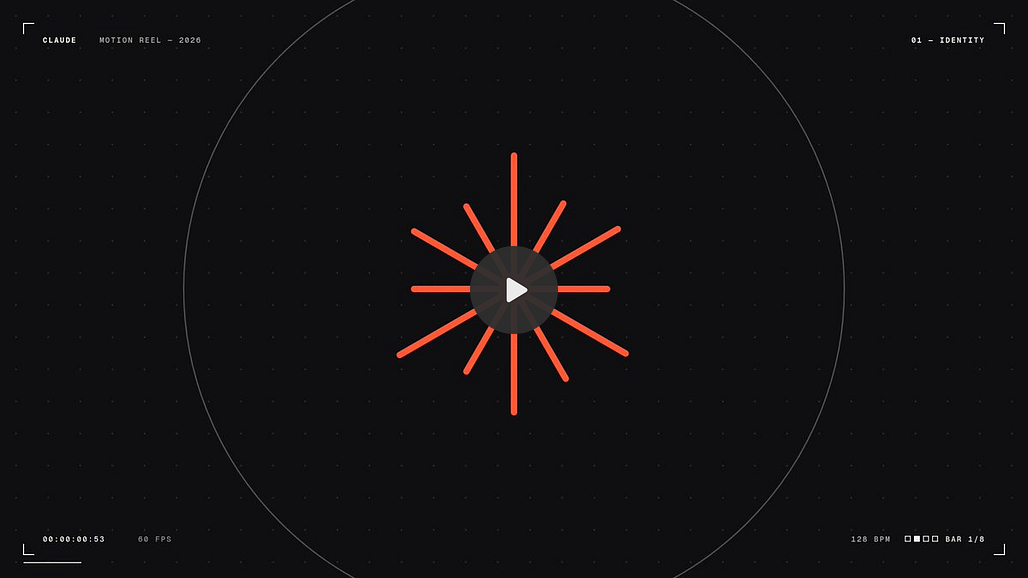
The most useful criticism came from people who work in motion design. Alex Barashkov, a founder who tried Opus 5.5 for motion work, wrote that it's good for overnight experiments but still makes design mistakes that anyone with some taste would catch, and that you still have to handle sound effects yourself. That's one person's experience, and my run went differently on sound, because Claude wrote the whole soundtrack in code. It did tell me it couldn't listen to what it made.
⚡ THE SUPERPOWER: Programmatic Video
AI video models generate the picture directly. You describe a scene and a scene comes back, but you can’t change one stat, fix one misspelled word, or move one cut half a second earlier without generating the video again and hoping the rest stays the same. In a brand video, the stats and the slogan are the parts that have to be exactly right, so that’s the part you can least afford to leave to chance.
Programmatic video means the video exists as code before it exists as pixels. Every word on screen, every cut, and every sound is a line you can read, and a revision means changing that line and rendering again. When the video is code, you can check the stats on screen the same way you check a document, before anyone sees them.
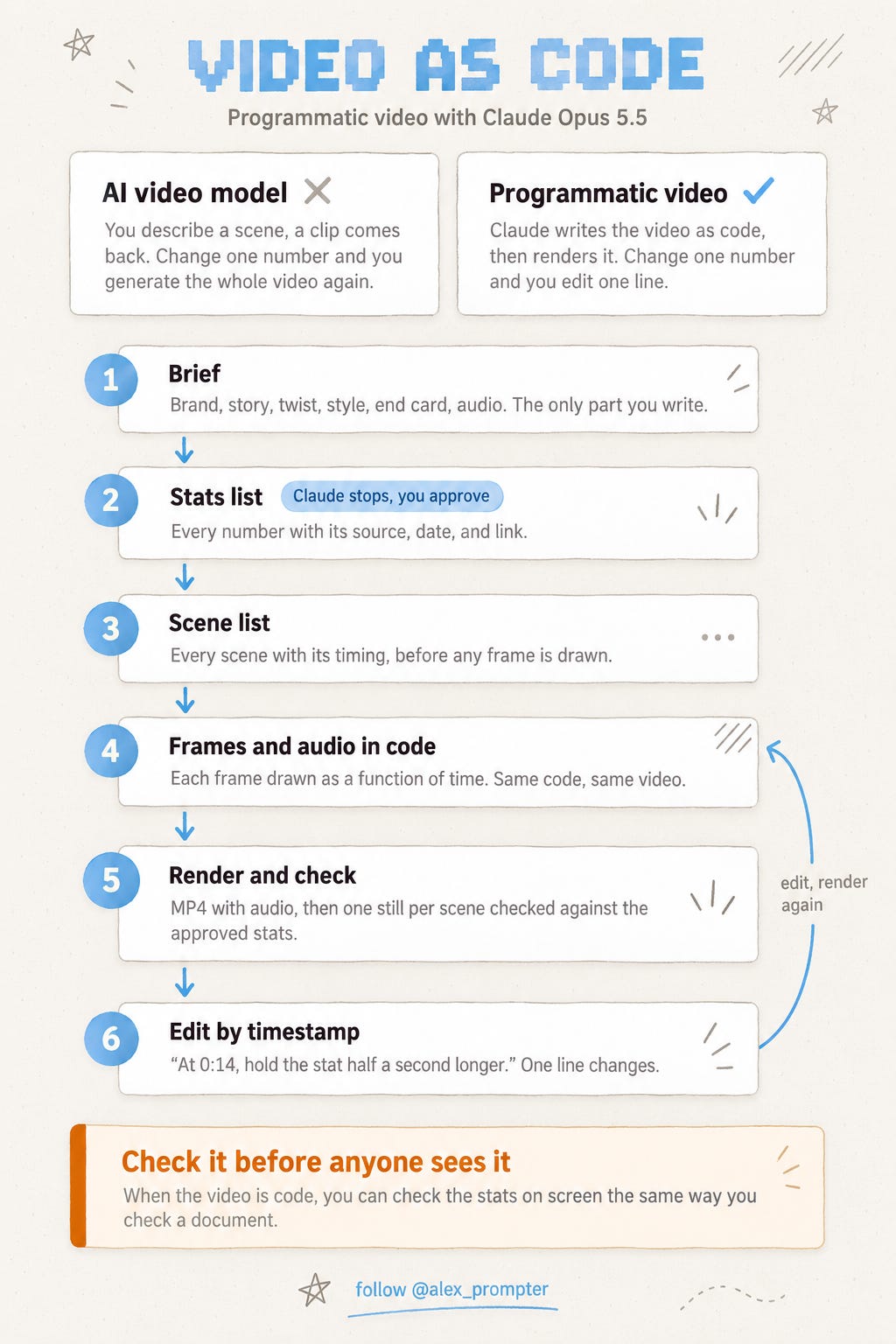
When I ran it, Claude dropped three stats it couldn't verify before I ever saw the list, then caught a line on screen that I had never approved.
⚙️ THE WORKFLOW
A one-sentence prompt works for a showreel because nothing in a showreel has to be exactly right. A brand video has stats and a slogan that do. Anthropic’s own advice for Opus 5.5 is to hand over a whole task and define what “done” means, so I rebuilt my paragraph around that. The brackets are the only part you change. The rest tells Claude how to build the video, when to stop and ask you, and what it has to check before it calls the job finished.
Run it in Claude Code with Opus 5.5 selected, so it can install whatever video and audio tools it needs. I used the browser version at claude.ai/code, which works inside a GitHub repository, and I set its network access to Full so it could read the brand’s website and the stat sources. Paste this and fill in the brackets.
Make a [60]-second video, written as code and rendered to an MP4. Use whatever tools you need and install anything required.

The brief
- Brand: [company name], [one line on what it does]
- Brand assets: [your website to pull the logo and colors from, or "use the files in this folder"]
- Story: [the situation the viewer is in], building to [the moment they need you]
- Twist: [what makes the brand different from everyone else in the story]
- Style: [e.g. clean enterprise look, fast cuts, loud and detailed visuals]
- End card: [slogan] and [link]
- Audio: [e.g. a driving electronic track that builds with the cuts, with an impact sound on each stat]

Stats
Research current statistics on [topic and year]. Only use numbers from a named source you can link. Before you build anything, list every stat you plan to put on screen with its source, date, and link.

Scene list
Write a scene list with timings. Show me the stats list and the scene list together, then stop and wait for my approval.

How to build it
- Draw every frame in code as a function of time, so rendering twice gives the same video.
- Write or generate the audio yourself, or use only tracks licensed for commercial use, and tell me which you did.
- Render at 1920x1080, 30 frames per second.

Done means
- An MP4 of [60] seconds, plus or minus one second, with audio.
- You extracted one still frame from each scene and checked every word and number on it against the approved stats list.
- You tell me which tools you used, how long the render took, and anything you couldn't do.
Then do four things.
Make the storyline specific. “Teams drowning in AI announcements, then one partner who ships working systems” gives Claude something to cut to. “AI is everywhere” gives it nothing.
Open two of the stat links before you approve. A wrong number in a published video costs more than a slow video, which is why the prompt makes Claude stop and wait at that point.
Ask for edits by timestamp. “At 0:14, hold the stat for another half second” works better than “make it punchier,” because Claude can find the exact line of code that controls 0:14.
Keep the project folder. Your second video starts from the first one’s code, so the fonts, colors, and timing carry over.
I ran it on the brief I opened with. Limestone Digital is one of my clients, so this was a real job with a real slogan and a real link.
Opus 5.5 built the whole thing in Python. It drew every frame with Cairo, wrote the soundtrack from scratch with numpy and scipy at 120 beats per minute, and stitched everything into exactly 60 seconds at 1080p and 30 frames per second with ffmpeg. The logo, colors, and typefaces came straight from Limestone’s website.
Seven stats made it on screen, from Stanford’s AI Index 2026, Deloitte, and PwC, and it dropped three candidates before showing me the list, including Gartner forecasts it couldn’t verify. Its own frame check caught a ticker line, “NEW BENCHMARK SATURATED,” that wasn’t on my approved list, and swapped it out.
The final render took about 80 seconds, after 45 minutes of research and building. That’s one brief and one run, on medium effort, which is the default.
Fair warning. The frame check compares words and numbers against your approved list, so it can’t see layout. In the opening seconds, a purple bar ran straight through the letter A, and I only caught it by watching. One message fixed it, so watch the whole video yourself before you publish.
💬 PROMPT OF THE DAY
Before I send this, find the one sentence where a skeptical reader is most likely to stop trusting me, and tell me why.
Why it works: asking for one sentence forces the model to rank the weak points instead of listing everything it could improve.
Best on: any model.
📚 USEFUL RESOURCES
🔭 Ryan Sael’s lens lab (an interactive site Opus 5.5 built) → turn the focus ring and watch the glass elements move, a good look at what one prompt produced in launch week.
📖 School of Motion’s Motion Design Dictionary (140+ terms, plain definitions) → learn words like ease, tween, and logo resolve, so the Style line in your brief tells Claude exactly what motion you want.
📈 Easings.net (easing curves you can watch move) → pick a curve by name, like easeOutExpo, and write it into your brief instead of “make it snappier”
🧭 Anthropic’s Opus 5.5 playbook (how to hand over a whole task) → where the “define done” part of today’s prompt comes from.
What should I have Claude render next, a product demo for a real landing page or an explainer built from one of my old X threads? Hit reply, one word is enough.
Know someone whose team keeps putting off making a video? Forward them this.
And as always, remember: LLMs don’t think, you do.
⚡ Alex Prompter
P.S. Today’s video prompt is one workflow. My Claude Skills Bundle turns Claude into 20+ specialists for marketing and business. Unlock it in one click: https://linktr.ee/alex_prompter
AI Superpowers, part of the Alex Prompter network. One new AI superpower every Tuesday, under 5 minutes.